Created by @ais_1234 on Sora AI
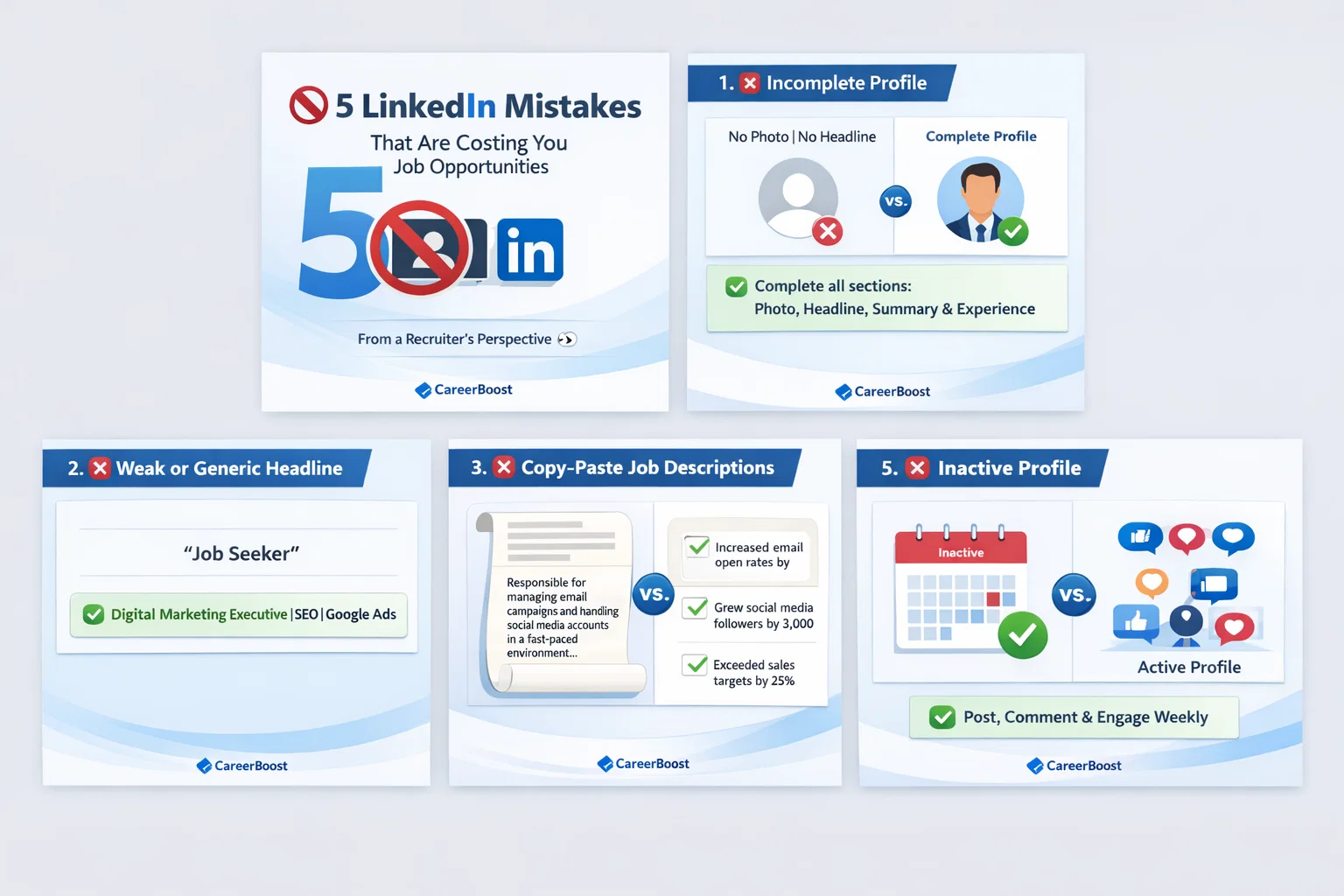
Slide 1 – Cover / Hook Text (Big & Bold) 🚫 5 LinkedIn Mistakes That Are Costing You Job Opportunities Sub-text (Small) From a Recruiter’s Perspective 👀 Design Idea Clean corporate background (white / light blue / gradient) Large number “5” as a visual element Icons: ❌ profile / 👤 LinkedIn logo Your brand logo at bottom (small) 🟦 Slide 2 – Mistake #1 Headline ❌ Incomplete Profile Body Content A missing photo, headline, or summary makes recruiters skip your profile instantly. Fix (Highlight Box) ✅ Complete all sections — photo, headline, summary & experience. Design Idea Split layout: ❌ vs ✅ Empty profile icon vs complete profile icon Highlight Fix in green 🟦 Slide 3 – Mistake #2 Headline ❌ Weak or Generic Headline Body Content “Looking for opportunities” doesn’t tell recruiters what you actually do. Fix ✅ Mention your role + skills + industry clearly. Design Idea Example box: ❌ “Job Seeker” ✅ “Digital Marketing Executive | SEO | Google Ads” Use bold typography for the correct example 🟦 Slide 4 – Mistake #3 Headline ❌ Copy-Paste Job Descriptions Body Content Long paragraphs don’t showcase your impact or achievements. Fix ✅ Use bullet points with results & achievements. Design Idea Scroll-style content visual Bullet icons ✔️ Highlight numbers (%, growth, targets) 🟦 Slide 5 – Mistake #4 Headline ❌ No Keywords for Recruiter Search Body Content Recruiters search using keywords — if you don’t use them, you won’t appear. Fix ✅ Add role-specific skills & tools naturally. Design Idea Search bar visual Keywords floating (SEO, Java, HR, Sales, etc.) Magnifying glass icon 🔍 🟦 Slide 6 – Mistake #5 Headline ❌ Inactive Profile Body Content An inactive profile looks outdated and uninterested. Fix ✅ Stay active: post, comment, share insights weekly. Design Idea Calendar or activity icon Engagement icons ❤️ 💬 🔄 “Active” badge visual 🟦 Slide 7 – CTA / Closing Slide Text 💡 A strong LinkedIn profile = more recruiter calls CTA 👉 Follow [Your Company Name] for career tips & job opportunities Design Idea Confident professional illustration Clear CTA button style Brand colors Minimal, clean finish 🎨 Design Style Guidelines (Important) ✔ Font: Clean & professional (Poppins / Inter / Montserrat) ✔ Colors: Brand colors + neutral tones ✔ Layout: Plenty of white space ✔ Format: 1080 × 1080 (LinkedIn carousel PDF) ✔ Keep text short & scannable Create a 5 set of image by analysing this information above given
Explore more AI-generated masterpieces from our collection.